Tuesday, November 27, 2012

Class Feedback

     Overall I really liked this class. It was fun and interesting. You were able to use your creativity, and think out side the box. One thing I really liked was that we were able to edit our pictures, and make them as best as possible. One think I didn't like was the composition assignments. They were kind of boring, but they still taught me things about taking pictures. I also really liked the structure of the class, how it was mostly work time, it was a good break from the regular class structure and taking notes. Although we took notes at the beginning of the trimester, it wasn't a lot.

      The blogging was hard at first but once I got the hang of it, the blog postings weren't hard at all. There were some challenging parts and some easy parts.  I think one of the major challenging things was, that we usually didn't have a lot time to do each assignment, which caused me to do pretty much all of my blogs at home. Which was never a problem, but it might have been for some kids. The one project that really stood out to me as easy, was the puns and dictionary photo shop assignment. All we had to do was get pictures off the Internet and combined them into one photo. I learned so much in the class, I can't even explain the things I learned on piece of paper. However a couple things I learned were how to make my pictures better, how to use the program Photoshop, and how to use different cameras.  

Some of my best photos from out the trimester


Tuesday, November 20, 2012

Photo 7, Still Life

Assignment Description: This week I choose to do still life because it was one of the only ones I haven't done, and since this was the last photo assignment of the trimester. I also choose this one because it seemed interesting.


Best Edited
Best Original


Slide Show:


Summary: This week I did still life. I really enjoyed this week's assignment. The only challenging was changing the background to black. I thought this task was going to be easier, but with the edges and small indents it was hard. Other than that, it was fun and pretty easy.

Monday, November 12, 2012

Photo 6 light painting

Assignment Description: This week I choose light painting, because it seemed like a lot of fun, and there is only two more weeks to do it. I also thought it seemed like a challenge and this week I wanted a challenge.

edited
Original


Slide show:


Summary: I really enjoyed this week, because of the element I chose. It was very hard but, also fun. It was hard to create the look I was looking for . It was also almost impossible to do it by yourself, so I had my sister help me. Next time I do light painting I will get more people to help me, so its not as difficult.

Thursday, November 8, 2012

Dictionary

Assignment Description: In this assignment we had to create a photo with 3-4 photos that described a word. It was supposed to be like the ones you see in the dictionary, so we had to take our time and make it look real.

#1

#2


Summary: I thought that this project was going to be hard, but in the end it wasn't that difficult. The only challenging part was find words that I could define with pictures and words.

Puns

Assignment Description: In the assignment we have create 3 visual puns with at least 2 separate photos.  Then later in the week we had to try and guess each other photos to see how well they portrayed the pun. 

Pun 2 Holy Cow 
Pun 3 Under the Weather
Pun 1 Smart Alec


Summary: I really liked this assignment I was really fun, but also challenging at the same time. because some of the files wouldn't go into photo shop. Other than that, it was pretty easy. 

Tuesday, November 6, 2012

Photo 5, Macro

Assignment Description: This week I choose to do macro because, I thought it would be cool to see a different perspective of things.
Edited


Original


Triangle: ISO  500
Shutter Speed   1/30
Aperture   f2.8


Summary: This week I did macro because it was one that seemed really interesting to me. This week I didn't have any major problems and overall it was pretty good. The only hard part was choosing what  object to do.

Thursday, November 1, 2012

School Photo Shop

Assignment Description: In this assignment we had to take a picture of the somewhere in the school and transform it in photo shop into a new and more intersecting photo.

Final product

Original

Summary: I really liked this project because there weren't any rules. I also liked the fact that you could change the picture and make it more intersecting to look at, and not just a regular and boring school photo. Making the picture took many, long, hard steps. The hardest part was the erasing of the windows because when I did, it would erase the frame as well, it was hard just erasing what I wanted to. Next time I do this I might choose an easier picture.


Wednesday, October 31, 2012

Photo 4, Black and white

Assignment  Description: This week I choose to do black and white because I had a lot of photos that I thought would would look good in black and white.


edited
original

Exposure Triangle:
ISO 80
Shutter Speed 1/40
Aperture f8
Slide show:

Summary: This week I did black and white. It was a little harder than I thought it would be. The original pictures weren't in black and white so I had to individually change them. It was also hard to pick the best representaion of the catergerory.

Friday, October 26, 2012

Portait


Assignment Description: In this assignment we had to take professional looking pictures with studio lights and also faking looking photos with a bounce card and a sunlight. Then made frames in photo shop.


Examples of my work:
The Final Product


Summary: This assignment was fun but also hard at the same time. Some of my pictures were fuzzy and the lighting wasn't correct. It was also hard to create the white background in photo shop because we didn't get instructions on how to do it, so we had to figure it out myself.  

Monday, October 22, 2012

Photo assignment 3, food

Written description: This week, I choose to do food, because my mom bought a big bag of candy and it really looked good.
Best Photo
Exposure triangle ISO-500, shutter speed- 1/20, aperture- f2.8

Slide show of 9 of the next best photos I took plus my best photo:


Summary- This week I took pictures of a box of nerds. I took different angles to make the perspective different. I had the school camera so it was easier than past weeks. I choose food because it seemed like it would be fun, and it was very fun.

Thursday, October 18, 2012

Panoramic

Assignment Description: In this assignment we learned how to create panoramic pictures without a fancy camera. After we got a tripod and a camera we went out and took 4 pictures making sure we didn't change the settings or move the camera too much. Then we put them into photo shop and used a tool that made it into one picture. Then I cropped it, so the picture was a nice even box.


My 3 examples of panoramic pictures


Summary: This summary was really fun to do. Overall it was a pretty easy assignment. The only challenging part was the picture of the school. One of the pictures wasn't lining up so it was difficult to put together so I only have 3 pictures instead of 4 in that one picture.

Monday, October 15, 2012

Photo assignment 2, people

Assignment Description: In this assignment we took pictures of a certain subject. My subject for this week was people and I chose my sister. I took several pictures, of different posses my sister did. We turned in our favorite photo( which is below) after we cropped it in photo shop and we also had the option to change the lighting or other settings. Then the next best photos we created a slide show and embedded into this blog as well. 

Best Photo 


Exposure Triangle: shutter speed: 1/10, aperture: f2.8, ISO: 400

Slide show of some of the pictures I took this week:


Summary: This week was very fun to take pictures. I could totally control the image that came out, unlike last week when the sky was a certain color and I couldn't change it at all, when I did nature. I still had some problems though. I really like this project and I am glad we get to do this project every week. It was hard changing the lighting because the lights in my l house made everything really orange and it looked very strange so hopefully my next one won't look orange, so I don't have to edit them.


Friday, October 12, 2012

Car Retouching

In this assignment we learned how to use photo shop better. We used a picture from one of Mr.O'Donnell past students. This picture have some light glares and the background wasn't the best and we and we also added text, using certain tools in photo shop to make it better.


Final copy


Original copy
Summary: Overall I didn't have too many problems with this assignment but it was a little difficult to use the clone stamp which we used to change the background. We used the text box to create the text at the top of the picture. We also the clone stamp to get rid of the light glares on the hood of the car. overall this assignment was really useful because it can help me make my pictures better in the future.

Thursday, October 11, 2012

inspiration 2

Assignment Idea: For this week I am going to try to do people. I think this one will fun to do because you can really capture the emotion in the picture. It will be easy to find a way to take these pictures. It doesn't take much to set up and will be fun to think of ideas and ways to set the pictures up.

Photo inspirations :
http://mishlerphotos.com/wp/wp-content/uploads/2011/03/alaska-people-photography-2615.jpg
Little girl
http://js.herviewphotography.com/photography//2011/11/photography-tip-photographing-people-1-480x330.jpg
little girl smiling outside
http://www.fivebellsphotography.com/images/mother-tongue-theatre-group.jpg
two women laughing
http://jimmygilmorephotography.com/wp-content/uploads/Big-Smiles.jpg
man smiling

Goals for this week: This week I want to have a better picture than last week, and I want the picture to be a good example of people. Last week was hard because I didn't have a school camera so I didn't know how to use it and changing the settings was difficult. So this week I am going to use the school cameras which I know how to use.


Monday, October 8, 2012

Photo assignment 1, Nature

Written Description: In this assignment we had a list of elements that we had to choose from and we had to pick one for this week. Once we had chosen the one we were going to do we, took 50-100 pictures of our element. My element was nature and landscape. So I went outside and a lot of pictures. Then we choose our favorite one and then choose 10 of our best. Then turned in our number one photo and made a slide show of our 10 best.
Best photo


Technical Triangle:
Shutter speed- 1/80
ISO- 160
Aperture- f4.8

Slide Show of 10 pictures I took.


Summary: In this assignment I learned how to make pictures more interesting. The lighting can play a big part in the final outcome of the photo. It is better to take pictures during sunset or sunrise, because the light makes things have a glow and make them look better . One thing that was challenging was that we had to take a lot of pictures and it was hard to make up the pictures. I also was using my own camera and did not know how to change the settings so that was also very difficult. The best part about this assignment was that there weren't many guide lines to follow so you got to make it up yourself, and it really made me think outside the box. I think this assignment was very fun, and I am glad we get to do it again.

Thursday, October 4, 2012

Inspiration

Assignment idea: For the first week I think I am going to do the event element, because this week I have a field hockey game and it would be a great example of the element. It would be fun to get the event because it is one of our last games so I have to do it this week. 

Photo inspirations: http://www.google.com/imgres?q=sporting+event+photography&start=143&um=1&hl=en&safe=active&sa=N&biw=1680&bih=850&tbm=isch&tbnid=PWqUGF3J3skrcM:&imgrefurl=http://doronphoto.com/fashion-wildlife-sports-photography-tips/&docid=arE1a-78j6A_hM&imgurl=http://doronphoto.com/wp-content/uploads/2012/08/sports-photography-tips.jpg&w=369&h=251&ei=P45tULvoHIuu8ASXxoGgDA&zoom=1&iact=hc&vpx=184&vpy=477&dur=14&hovh=185&hovw=272&tx=109&ty=130&sig=108439531895499821114&page=5&tbnh=152&tbnw=199&ndsp=40&ved=1t:429,r:32,s:143,i:349&surl=1 a football game


http://www.google.com/imgres?q=sporting+event+photography&um=1&hl=en&safe=active&sa=N&biw=1680&bih=850&tbm=isch&tbnid=oGTyixLoUgYTAM:&imgrefurl=http://www.success-event-photography.com/sporting.html&docid=hB0s8hBVzK91FM&imgurl=http://www.success-event-photography.com/Home%252520Images/sport063.jpg&w=280&h=350&ei=OY5tUKCwAYuY8gTEj4CwCQ&zoom=1&iact=rc&dur=2&sig=108439531895499821114&page=1&tbnh=148&tbnw=118&start=0&ndsp=29&ved=1t:429,r:16,s:0,i:123&tx=65&ty=78&surl=1 soccer game
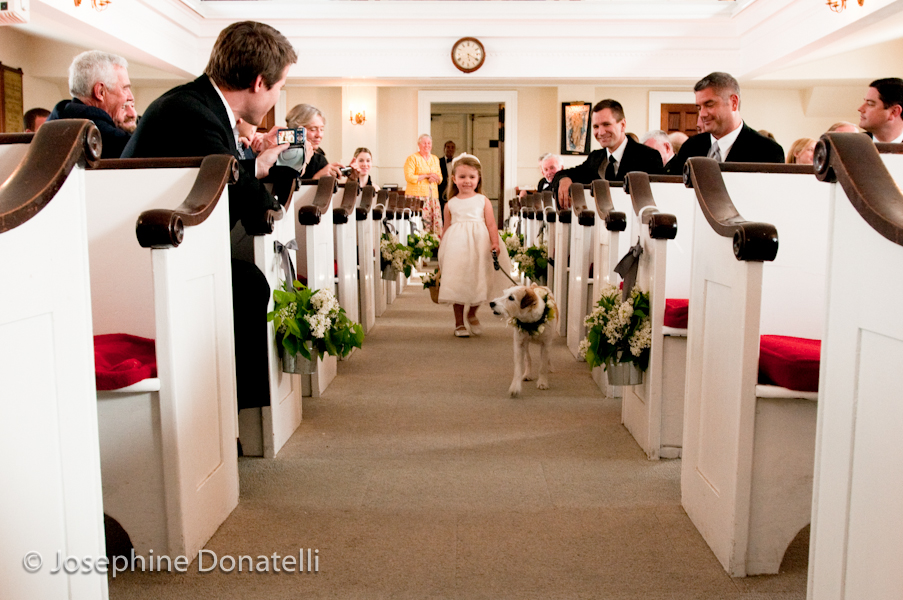
http://www.capturedevent-blog.com/wp-content/uploads/2011/04/Captured-Event-Photography-Josephine-Donatelli24.jpg a wedding

http://www.nortexevent.com/content/event-photography1.jpg prom, homecoming, or a dance

http://www.carreonphotography.com/photos/los_angeles_event_photographer/event_photography_008.jpg concert or some type of show

http://gsappweb.rutgers.edu/images/events2008/graduation.jpg graduation

Goals: My goals for this project are to capture a photo that explains the event that I was at. I hope that the saying is true and a picture is worth a thousand words.

Wednesday, October 3, 2012

pop art assignment

In this assignment we used photo shop to create a cool effect with the same picture. First we took a picture of ourselves on photo booth, then put it into photo shop to create a new and improved picture.  We took the photo and changed the threshold which turned into into a cool effect. Also it changed it from color to black and white. Then we made the picture have 4 sections and put for of the same picture. After that we changed the hue and saturation to make the picture turn into a colored picture instead of just black and white. Finally we saved the photo and completed the task.


This is the final product


Friday, September 28, 2012

Composition 2

Assignment description: In this assignment we had five elements that we had to take pictures of: color, perspective, space, framing, and balance. We took several examples of each element and then uploaded the best one onto photoshop. We then created an album to hold the best pictures we took. hen created this blog.

Photo Description:
Color: pink flower with bright green stem against the red brick wall
Framing: double doors with brick on each side.
Perspective: a low angle shot, of me standing on the stairs and Loren sitting on the ground below
Balance: a shot of the school, two trees, and two doors make it equal
Space: one tiny yellow flower,  surrounded by green grass


In this assignment I learned how to make color pop, make my pictures looked balanced, have my object of interest look small or large by using perspective, have lots of space in my pictures, and make frames on my pictures. By using these elements I can make my picture a lot better, and more interesting to look at.

Tuesday, September 25, 2012

Shutter and Aperture

Assignment description:
      In this assignment we researched the meaning of aperture and shutter speed, to find what the actual definitions of the words were. After we had an understanding of the words, we went out and took pictures. We had to take 3-4 sets of 4 pictures(changing either aperture or shutter speed for each picture). Then we choose one set, and put them into a slide show, and labeled them.

Summary: This assignment was a little hard to find examples not being able to go outside some of the days. It was easier to find examples of shutter speed than aperture, but not too hard to find either. Over all the assignment was pretty fun and easier than I thought.


Tuesday, September 18, 2012

Composition 1

Assignment description: In this assignment we researched photo composition. After we learned about each one,  we took pictures that were examples of each composition. Then we put them in photoshop.com and put them into our library. Then we choose one of each example to put into an album.

Photo description:
Rule of 3rds- pink flower
Texture- pebble cement
Pattern- brick wall
Depth- flower in field
Lines-roof by the office
Symmetry- the street


In this lesson I learned a lot of different technique. I learned ways to take pictures and also how to make what I want appear in my picture. I also learned to not center the object I am taking the picture of, and that it is better off more to the side.